YouTube Shorts thumbnails do not appear in the Shorts feed, where most Shorts views happen, but they do appear on your channel page, in Search and in Home feed shelves, where viewers choose what to tap. You can pick a frame in the mobile app or, since 2026, upload custom thumbnails from YouTube Studio on desktop.
In this guide
- Where Shorts thumbnails appear
- How to set a Shorts thumbnail
- The crop problem
- What to focus on
- What you cannot do yet
- Is it worth the time?
- How Shorts thumbnails differ from long video thumbnails
- Shorts as a gateway to your channel
- Reading the right numbers for a Short
- A simple Shorts thumbnail routine
- Common mistakes with Shorts thumbnails
- The guides in this topic
- Frequently asked questions
- Sources
- Your test this week
Shorts work differently from long videos. Most of their views happen in the Shorts feed, where videos start playing as the viewer swipes and no thumbnail appears at all. That has led many creators to ignore Shorts thumbnails completely.
That is a mistake, though a smaller one than ignoring thumbnails on long videos. Shorts also appear in places where viewers choose what to tap, and there the thumbnail does the same job as anywhere else on YouTube. This guide explains where that happens, how to set a thumbnail for a Short, and what is worth your time.
Where Shorts thumbnails appear
The thumbnail of a Short is shown in browsing surfaces rather than in the swipe feed. The main ones are:
- Your channel page, in the Shorts tab and, depending on your layout, on the Home tab.
- The Home feed, where Shorts can appear in shelves alongside long videos.
- Search results, where Shorts appear next to long videos for many queries.
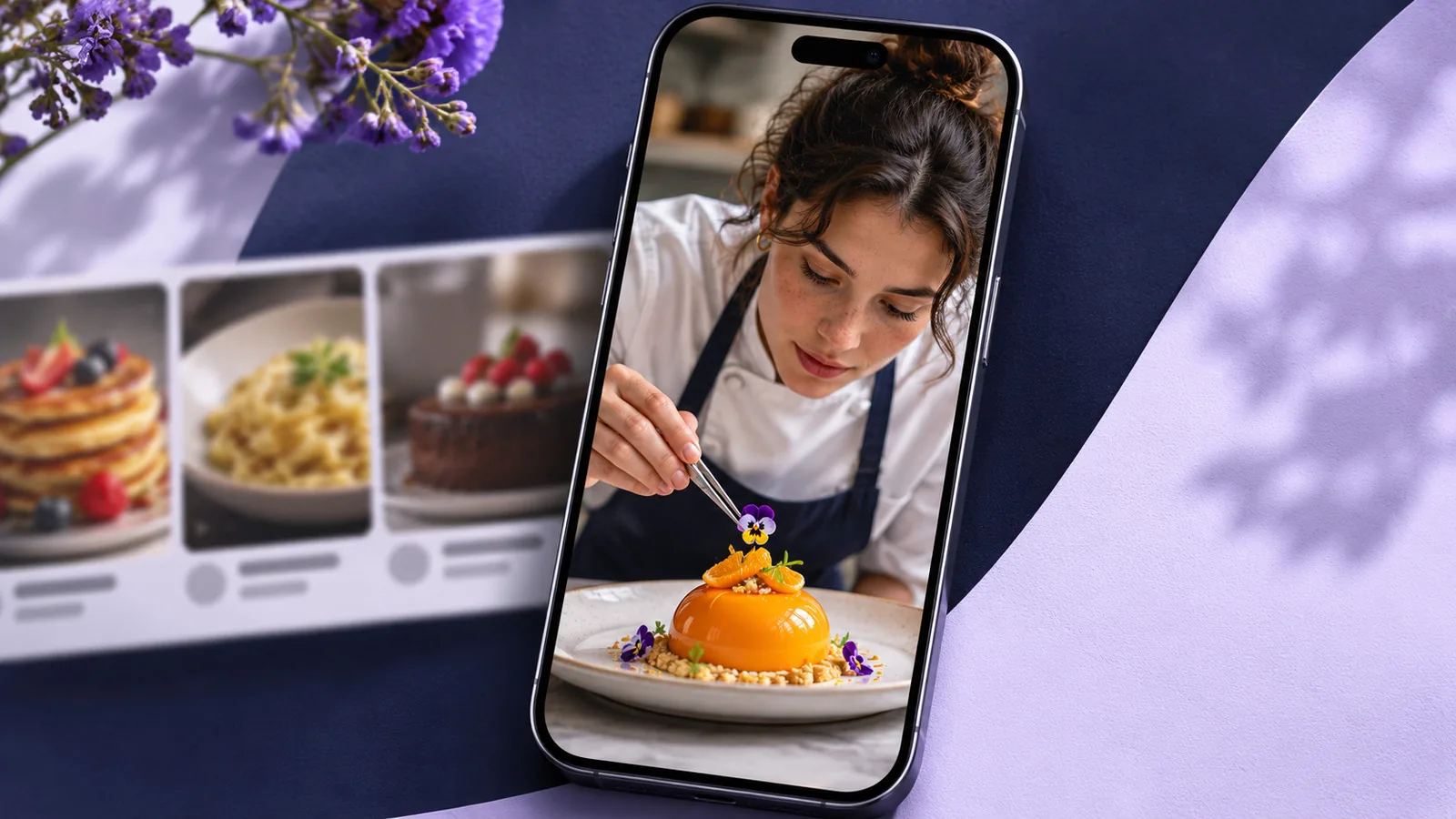
In each of these places, the viewer sees a grid or shelf of options and chooses one. That is exactly the situation a thumbnail is built for. For a channel with a large Shorts library, the channel page alone can be an important source of views from people deciding what to watch next.
How to set a Shorts thumbnail
For a long time, creators could only choose a frame from the Short itself, and only from the mobile app. In July 2026 YouTube began rolling out custom thumbnails for Shorts, starting with channels in the YouTube Partner Program and with wider availability promised later.
As reported at launch:
- Custom uploads are made from YouTube Studio on desktop, either during upload or later by editing the Short.
- Choosing a frame from the video is still done from the mobile app.
- Creators who publish from a phone can add a custom thumbnail afterwards from a computer.
Because these features are still rolling out, check what your own channel sees in YouTube Studio before planning around them. Our guide on how to change the thumbnail on YouTube Shorts covers both methods step by step.
The crop problem
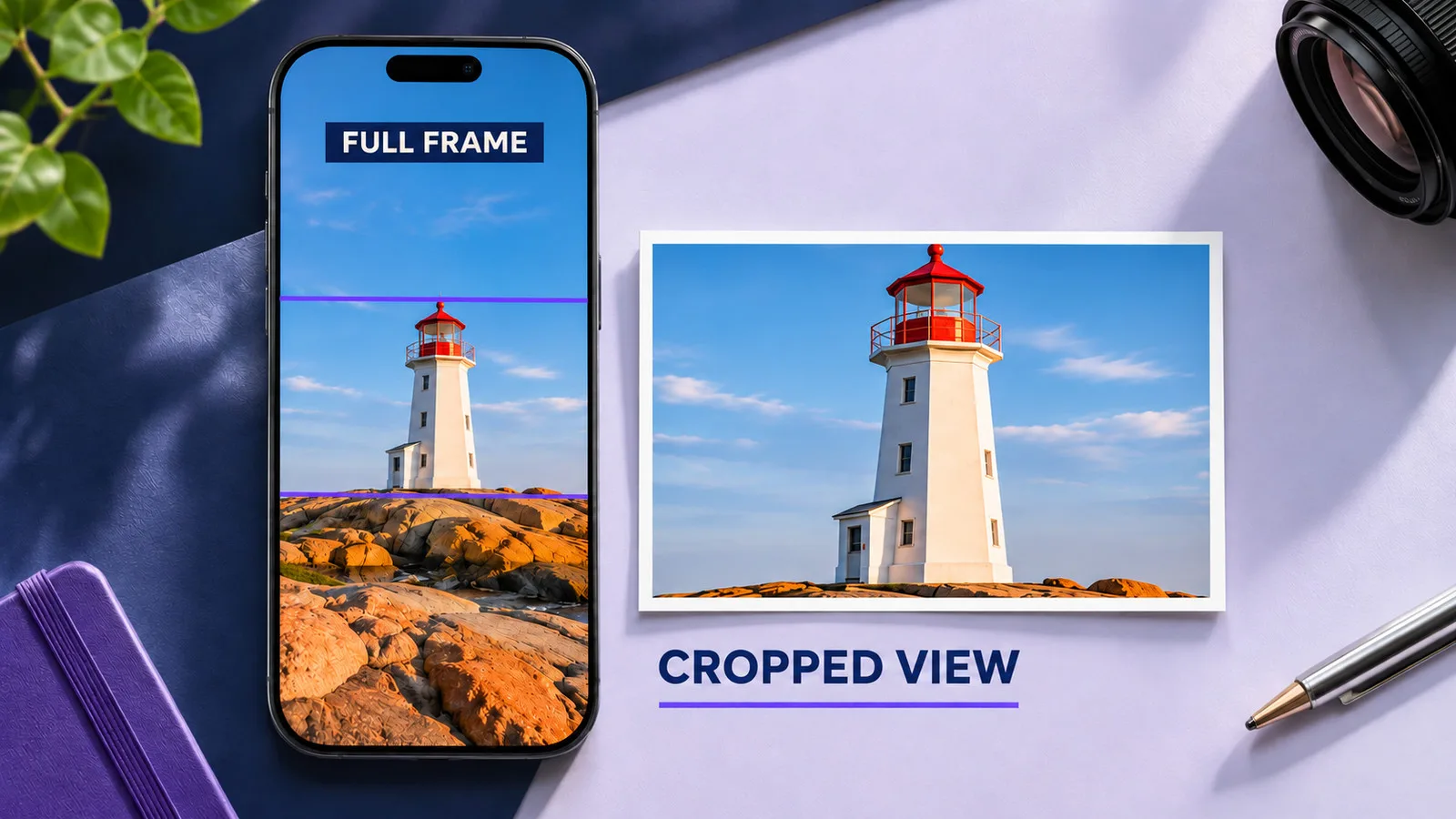
Shorts are vertical, but their thumbnails are not always shown in a vertical frame. Depending on the surface, the image can be cropped to a much wider shape, with a usable area closer to 3:2 than to 9:16.
The practical rule is to keep everything important near the center of the frame: the face, the key object and any text. Anything near the top or bottom edge may be cut off in some layouts. Preview the thumbnail in more than one place before deciding it works. YouTube recommends uploading Shorts thumbnails at 2160 by 3840 pixels, in 9:16; design on that vertical canvas and keep the key elements in the central band. Our guide on YouTube Shorts thumbnail size explains how to mark that safe zone.
What to focus on
Shorts thumbnails follow the same principles as any other thumbnail, described in our concepts guide. A few points matter more than usual:
- One clear subject. Shorts shelves are dense. A single readable subject stands out.
- Very little text, or none. The visible area is small and may be cropped. If you use text, two or three words in the center.
- Consistency across your Shorts library. On the channel page, viewers see many Shorts thumbnails side by side. A consistent look makes the page feel organized and helps viewers find series.
- An honest promise. Shorts viewers decide quickly whether to stay. A thumbnail that misrepresents the Short costs you retention.
What you cannot do yet
At launch, YouTube’s thumbnail testing in Test and Compare covered long videos only, not Shorts. That means Shorts thumbnails cannot be compared in a controlled test inside YouTube Studio.
You can still learn from them. Look at how Shorts perform from the channel page and from Search, where the thumbnail is visible, rather than in the Shorts feed, where it is not. Compare those surfaces before and after changing a thumbnail, over equal time windows, and keep notes as you would for long videos.
Is it worth the time?
For most channels, long video thumbnails deserve more attention, because almost every view of a long video starts with a thumbnail. For Shorts, the honest answer depends on how your channel is used:
- If your Shorts get most of their views from the Shorts feed, a quick, clean thumbnail is enough.
- If viewers browse your channel page or find your Shorts through Search, thumbnails deserve real care.
- If you run Shorts series, a consistent thumbnail style makes the series easier to follow.
How Shorts thumbnails differ from long video thumbnails
Shorts and long videos share the same principles, but the practical differences are large:
| Long videos | Shorts | |
|---|---|---|
| Where thumbnails matter | Almost every view | Browsing surfaces only |
| Shape | 16:9 | 9:16 video, often cropped wider |
| How to set one | Upload in Studio, desktop or app | Frame in app; custom upload on desktop, rolling out |
| Testing in YouTube Studio | Test and Compare | Not available at launch |
That last point matters: without a built-in test, learning what works for Shorts depends on careful before and after comparisons on the surfaces where thumbnails are shown.
Shorts as a gateway to your channel
For many channels, Shorts bring in viewers who have never seen a long video from them. Some of those viewers visit the channel page to see more. There, the Shorts tab and the Home tab are a grid of thumbnails, and consistent, readable Shorts thumbnails make the page feel organized and trustworthy. That makes the channel page one of the places where Shorts thumbnails do their most valuable work, even if it accounts for a modest share of Shorts views.
Reading the right numbers for a Short
Total views tell you almost nothing about a Shorts thumbnail, because most of them come from the Shorts feed, where no thumbnail is shown. Open the Short in YouTube Studio, go to its Analytics and look at the traffic sources in the Reach tab instead. The ones that matter here are views from your channel page, from YouTube search and from browse features such as Home feed shelves.
Write down those numbers for a fixed window, such as the last 28 days, before you change the thumbnail, and compare them with the same window afterwards. If a Short gets only a handful of views from those surfaces, a new thumbnail cannot move much, and your time is better spent on the Shorts that viewers actually find by browsing.
One more check is worth making: open your channel page on a phone and scroll the Shorts tab as a viewer would. Faces cut in half, text clipped at the top and frames blurred by motion are easy to spot there and easy to miss in YouTube Studio.
A simple Shorts thumbnail routine
- Plan one clear, centered moment in each Short that could serve as a thumbnail.
- Use a consistent style across your Shorts, especially within a series.
- Keep text to two or three words, near the center, or skip it.
- If you have custom uploads, refresh the thumbnails of Shorts that get views from your channel page and Search first.
- Compare views from those surfaces over equal windows before and after any change.
Common mistakes with Shorts thumbnails
- Putting text at the top or bottom, where it is cropped in many layouts.
- Using the same frame-grab style as everyone else, blurred by motion.
- Writing long titles on the image, which become unreadable in dense grids.
- Changing many Shorts at once, which makes it impossible to see what helped.
- Judging the thumbnail by total views, most of which come from the feed where no thumbnail is shown.
The guides in this topic
This topic is smaller than the others on purpose, because thumbnails matter on fewer Shorts surfaces. The guides below cover sizing and changing a Shorts thumbnail, and more will follow as YouTube expands thumbnail features for Shorts.
Frequently asked questions
Do Shorts thumbnails affect views in the Shorts feed?
No. The Shorts feed plays videos directly without showing thumbnails. Thumbnails matter on your channel page, in Search and in Home feed shelves.
Can every channel upload custom Shorts thumbnails?
Not yet. The rollout started in July 2026 with Partner Program channels, with wider access planned later. Check YouTube Studio on desktop.
What size should a Shorts thumbnail be?
Design vertically, typically at 1080 by 1920 pixels, and keep key elements in the center, because many surfaces show a wider crop.
Can I test Shorts thumbnails in YouTube Studio?
At launch, Test and Compare covered long videos only. Compare views from browsing surfaces before and after a change instead.
Sources
Your test this week
Open YouTube Studio, choose one of your Shorts with the most views in the last 28 days, and check its traffic sources. Look at the share of views that came from your channel page and from Search, the places where viewers see its thumbnail. If that share is meaningful, set a custom thumbnail with one centered subject and compare the same numbers after another 28 days.